Training dashboard
- Compliance, percent of required holdings in date
- 82.1
- Computed on this page from the inputs below
- Gap to full compliance, holdings
- 60
- Computed on this page from the inputs below
- Compliance in 30 days if nothing is booked, percent
- 75.6
- Computed on this page from the inputs below
- Overdue and expiring with no session booked
- 26
- Computed on this page from the inputs below
Each figure on this page is arithmetic over the inputs you typed, by the method printed under it. Inductvo publishes no course content, no certification and no legal minimum: the worked example is there to be overwritten with your own headcount and courses, and the refresher period is whatever your course provider or your regulator has set.
Email me this result
We will send you these figures and a link back to them. One email, nothing else unless you tick the box.
The figures above start from a worked example (82.1). Change any input and the sheet reworks as you type, the way it will when the headcount changes next quarter.
Download the Training dashboard worked example (CSV)
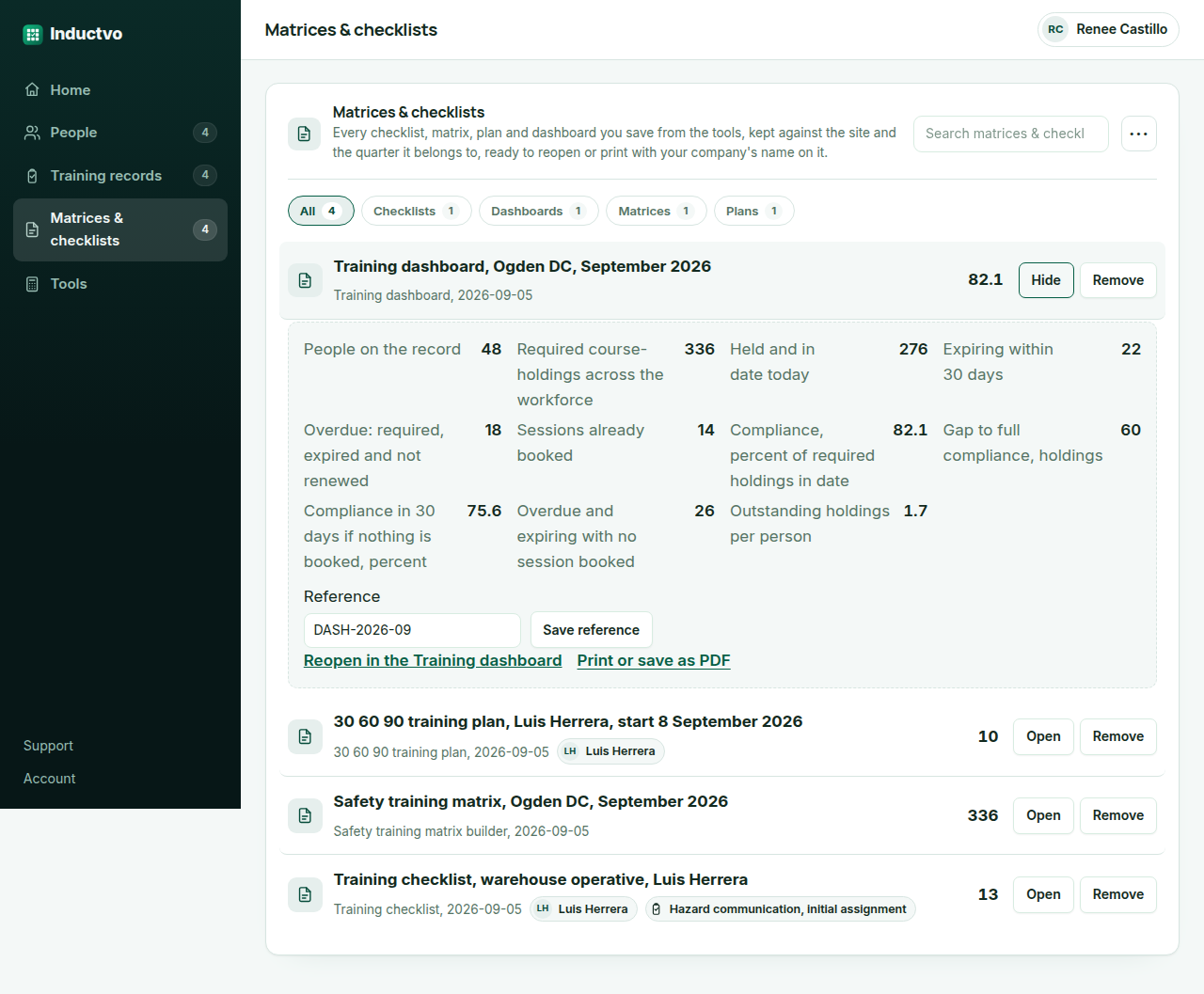
A training dashboard is five numbers read from the records, and a dashboard that shows anything else is decoration. Compliance today is holdings in date over holdings required. The gap is the difference. Compliance in thirty days is what it becomes if nothing expiring is renewed. Overdue and expiring with no session booked is the list of names the site manager has to act on this week. Outstanding per person is the load spread across the workforce. This worksheet works all five from the counts you type, and Inductvo Pro reads the same five from the live records and prints them on the workspace home.
Compliance is a ratio of holdings, not of people
A person with six of seven required courses is not compliant, but counting them as non-compliant hides that the gap is one course. Working the ratio on holdings, 276 of 336 on the worked example, gives a percentage that moves with each sign-off and that an auditor recognizes. The dashboard prints it, and the matrix builder on this site prints the same figure from headcount and averages when the counts are not yet known.
The thirty day figure is the one to act on
Compliance today is history; compliance in thirty days if nothing is booked is the forecast, and it is the number that gets a session booked. The worksheet takes the holdings expiring in the window off the held count and prints the result. A dashboard that only shows today's figure is a report about last month.
Unbooked is the action list
Overdue plus expiring less the sessions already booked is the count of holdings nobody has yet done anything about, and it is the figure that should be zero at the end of every week. On the worked example it is twenty-six, which is a booking task for a Monday. Pro lists the names behind the number and reminds each person's manager as their holding approaches expiry.
Inductvo Pro
Keeping the sign-off, not just the number
The answers are free forever. Pro turns them into the record: each person's training with the course, the date, the trainer's sign-off, the expiry and the refresher due, the matrix and the dashboard read from it, your company name on every sheet, no watermark, reminders before anything lapses, and clean exports for the inspector and the insurer.
- Download as PDF
- No Inductvo watermark
- Save and reopen later
- Your company name and site on it
- Bulk export matrices, checklists and records
- Refresher reminders emailed to the person and their manager
$39per month, whole team
Start Inductvo Pro Free for 14 days. No card needed. PricingThe first 14 days are free and no card is asked for. Add a card during the trial and the first charge is on the day it ends; do not, and your workspace becomes read-only with nothing deleted. Pro renews each month at the price shown until you cancel it, and we write to you before the price ever changes.
What a safety manager asks before working the Training dashboard
Where do the counts come from?
From the records: every person's required courses added up is the required figure, those with a sign-off dated inside the refresher period are held, and the expiry dates give the expiring and overdue counts. On a spreadsheet they are four filters; in Pro they are read automatically.
What compliance percentage should we aim for?
Whatever your regulator, your standard, your insurer and your clients expect, which is usually all required holdings in date and is a question for them rather than for this worksheet. The worksheet reports the figure; the target is yours.
Does this save the dashboard anywhere?
No: the sheet runs in your browser and nothing leaves it. Inductvo Pro reads the dashboard from the live records and shows it on the workspace home, per site and for the whole company.